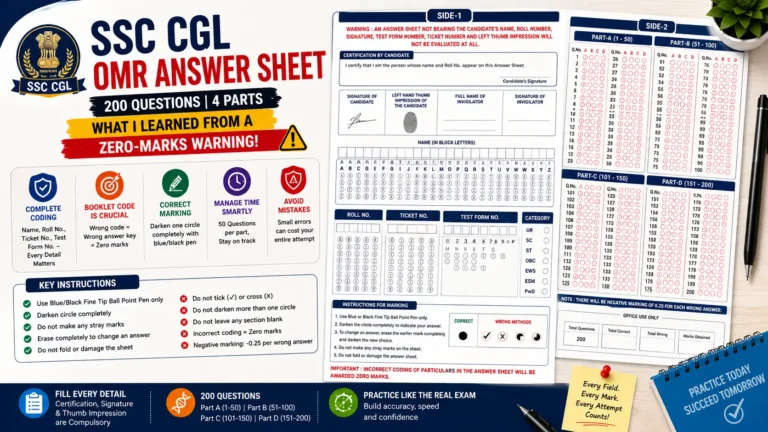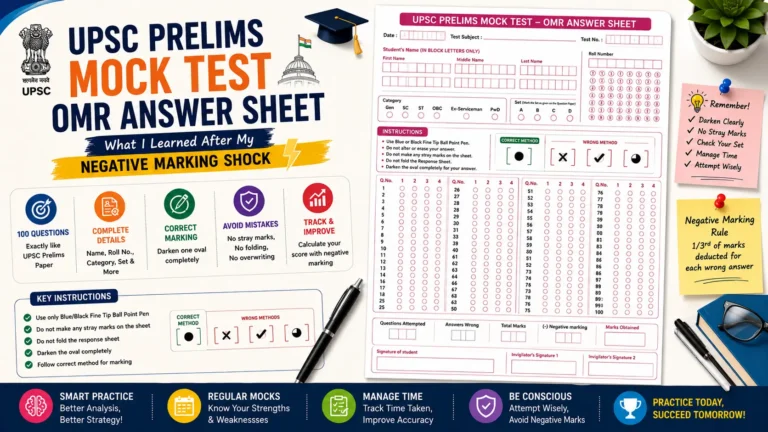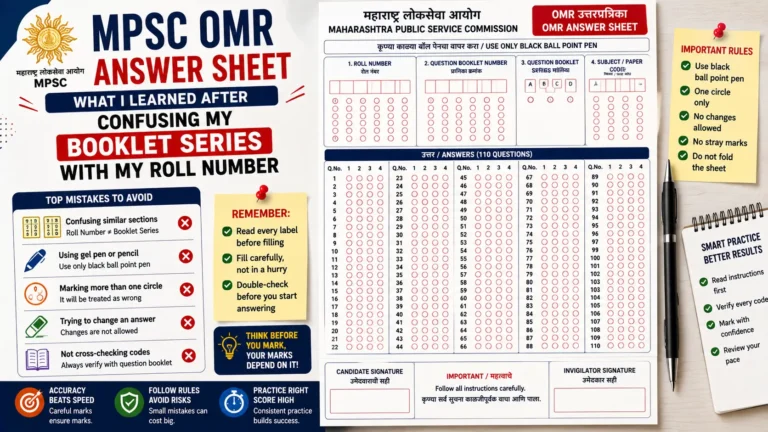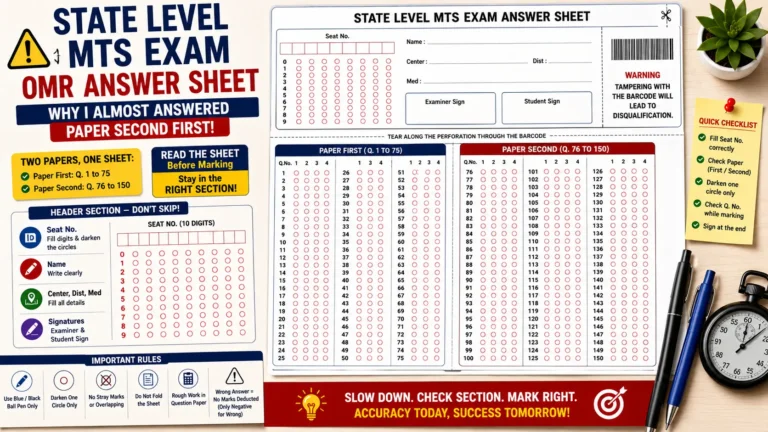
When preparing for a BPSC mock test, most students focus on completing the question paper within the allotted time. But another skill is worth practicing: recording answers on an OMR sheet without marking the wrong question number or making unnecessary corrections.
Imagine answering Question 57 correctly but accidentally filling the bubble for Question 58. Your knowledge has not changed, but your recorded response is now wrong. Practicing with an answer sheet before an exam can help you be more careful with this part of the process.
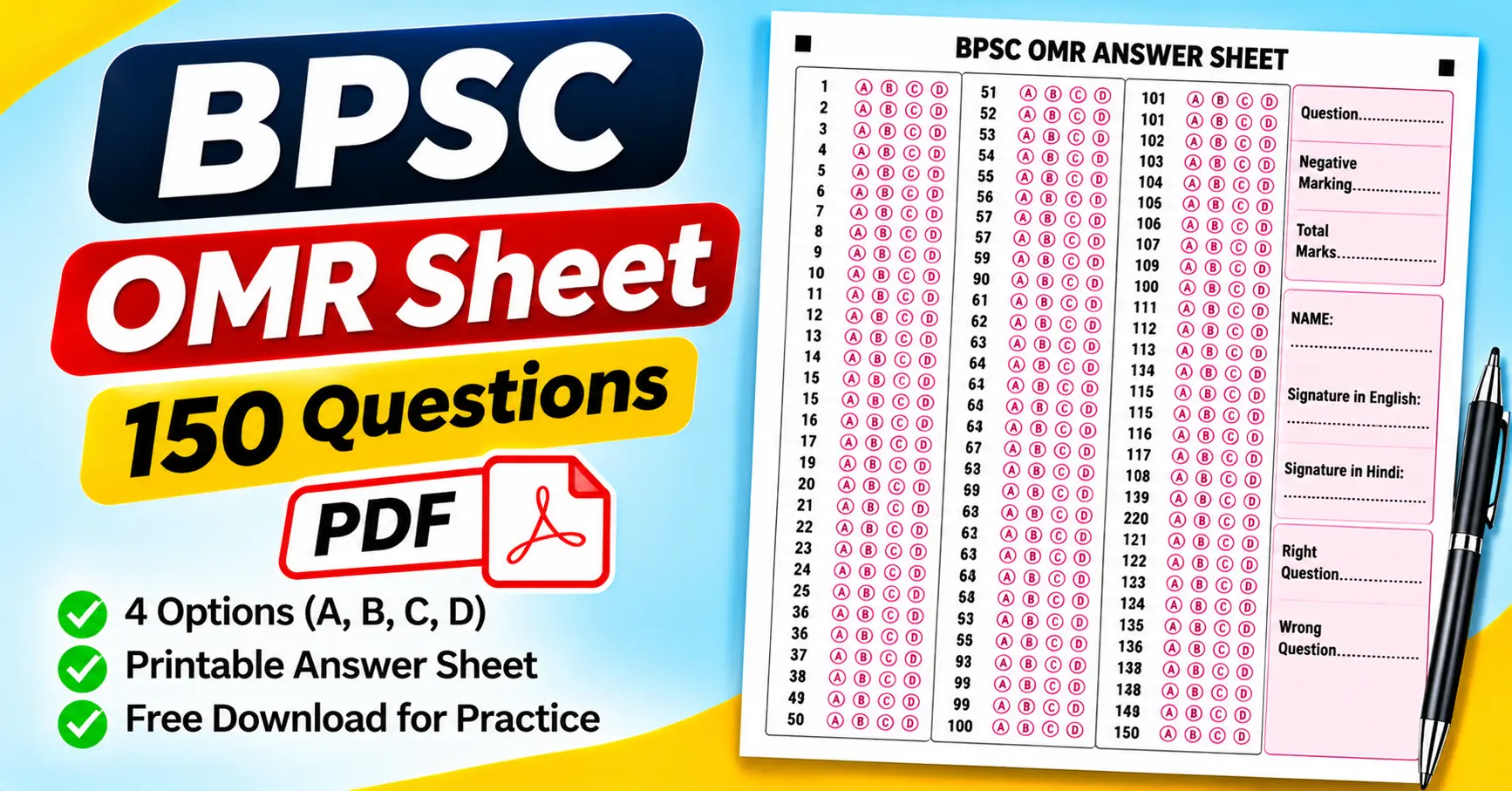
The BPSC OMR Sheet 150 Questions PDF is a useful resource for students preparing for Bihar Public Service Commission examinations and other multiple-choice tests with a similar format. The attached PDF contains 150 numbered questions, four answer options for each question, candidate identification fields, signature spaces, and areas for recording marks.
You can use this template for mock examinations, revision sessions, and answer-marking practice. In this guide, we will explain its layout, how to print it, how to fill in the bubbles, and how to check your responses after completing a test.
Download the BPSC OMR Sheet 150 Questions PDF
The attached file is a printable, one-page answer sheet designed for 150 multiple-choice questions.
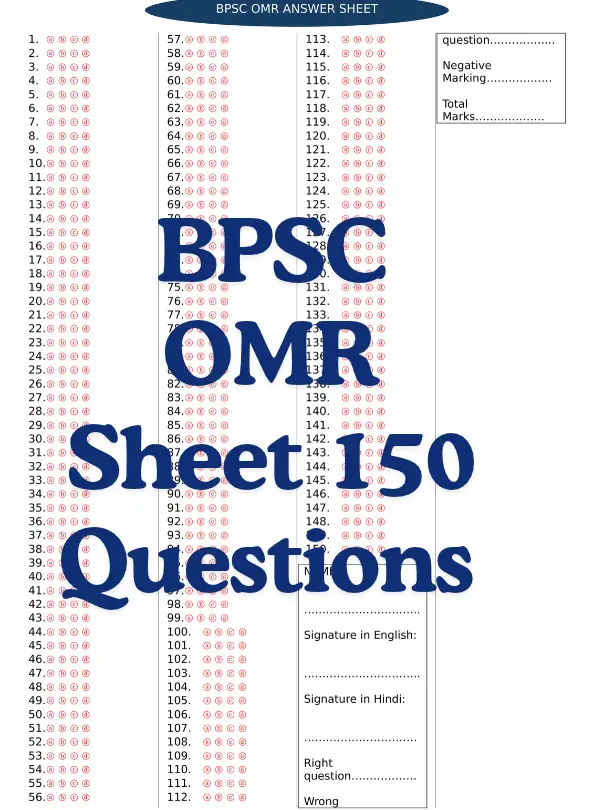
Before using it, check the page layout and make sure its four-option format matches your practice question paper. Do not treat the supplied template as an official BPSC-issued form unless you have verified its official status.
What Is a BPSC OMR Sheet?
OMR stands for Optical Mark Recognition. It is a technology that detects marks made in specific positions on a printed form.
In a multiple-choice examination, candidates select an answer by filling the corresponding bubble. For example, if the correct answer to Question 12 is option C, the candidate marks the C bubble in the row numbered 12.
An OMR sheet helps separate the question paper from the recorded answers. Instead of writing a complete response, the candidate marks one of the available options.
The attached BPSC OMR answer sheet contains 150 numbered questions. Each question has four options: A, B, C, and D, making it suitable for practice tests that use the same question-and-answer format.
The PDF can be opened with Adobe Acrobat Reader, a web browser’s built-in PDF viewer, or another compatible PDF application. You can print it for personal practice or classroom assessments, subject to the file’s applicable usage rights.
One important point: a printable OMR-style answer sheet is not automatically compatible with every automated checking system. If you want to scan responses and calculate results electronically, confirm that the software supports the form’s layout.
Features of the Attached BPSC OMR Answer Sheet
The attached PDF includes several useful fields beyond the main answer bubbles. Understanding these sections before starting a mock test can help prevent mistakes.
1. A total of 150 questions
The sheet contains questions numbered from 1 to 150. The answer rows are arranged across three vertical sections on the page.
The visible numbering is organized as follows:
- First section: Questions 1–56
- Second section: Questions 57–112
- Third section: Questions 113–150
The final section contains fewer questions than the first two. When moving between sections, check the printed question number instead of relying only on the position of a row.
2. Four options for every question
Each question has four answer bubbles labeled A, B, C, and D.
For example, if you select option B for Question 35, fill the B bubble in the row numbered 35. Do not mark the row for Question 34 or Question 36 by mistake.
The four-option structure is one of the most important features to check before using the template. If your practice paper uses five options, you should use a matching answer sheet instead.
3. Candidate name field
The supplied form includes a field labeled NAME.
Write your name clearly in the designated area before beginning the test, if the organizer requires it. This makes it easier to identify the answer sheet when reviewing several students’ responses.
4. English and Hindi signature fields
The attached sheet includes separate spaces labeled “Signature in English” and “Signature in Hindi.”
These fields may be useful for practice with a template that includes both signature requirements. Complete them only when required by the instructions for your assessment.
5. Right and wrong answer fields
The form includes spaces to record the number of right and wrong answers.
Use these fields to calculate the result of a mock test. After checking the answer sheet against an answer key, enter the appropriate totals.
For example, if you answered 110 questions correctly and 25 incorrectly, record those totals in the corresponding fields.
6. Negative marking and total marks
The attached PDF also contains fields labeled “Negative Marking” and “Total Marks.”
These sections are useful when a practice test applies a penalty for incorrect answers. However, the template does not establish a particular negative-marking rate. Use the scoring rules specified for your mock test or examination.
Do not assume that every BPSC examination uses the same marking scheme. Check the instructions for the particular examination you are preparing for.
Who Can Use This 150-Question OMR Sheet?
Although the file is titled “BPSC OMR ANSWER SHEET,” its usefulness depends on whether the practice test matches the form’s layout.
BPSC aspirants
Candidates preparing for BPSC examinations can use the sheet to practice recording multiple-choice answers under timed conditions.
This can help when you want to focus on answering questions while also getting familiar with a separate answer-recording process.
Students taking mock tests.
Students preparing for other competitive examinations may also find the sheet useful if their practice paper contains 150 questions with four options per question.
Before using it, check that the number of questions and answer options match your test.
Teachers and coaching institutes
Teachers can print copies for classroom assessments, revision exercises, and practice examinations.
A consistent answer-sheet layout makes it easier to collect responses and compare them against a prepared answer key.
Individual learners
You can use the sheet at home to simulate an examination environment. Set a timer, answer the questions, mark your responses, and calculate your score afterward.
Repeating this process can help you identify problems such as incorrect question alignment, incomplete bubbles, or mistakes in your identification details.
How to Print the BPSC OMR Sheet PDF
A clear printout is important because students need to distinguish question numbers and answer bubbles easily.
Step 1: Download and open the PDF
Use the download link above to open the attached file. You can view it in Adobe Acrobat Reader or another compatible PDF viewer.
Check that all 150 questions, the candidate name field, both signature fields, and the scoring sections are visible.
Step 2: Choose the correct paper size
Select a paper size that matches the original PDF dimensions and your printer settings. A4 is commonly used in India, but verify the document’s actual page size before printing.
Avoid stretching the page to fit another paper size, as this can change the spacing between answer bubbles.
Step 3: Review the print preview
Check the scaling options, such as “Actual Size” and “Fit.”
Choose the option that keeps the complete form visible without cutting off the edges. Pay attention to the third question section and the scoring fields on the right side of the page.
Step 4: Print one sample copy
Before printing several copies, print a single sheet.
Confirm that the numbers are readable, the four answer bubbles are clearly distinguishable, and the name and signature fields have enough space for writing.
If you plan to use automated checking, follow the scanning system’s specifications rather than assuming that a normal printout will work.
Step 5: Prepare your mock test
Once the printout looks correct, prepare your question paper and answer key.
Make sure the question paper contains 150 questions and uses the same A–D answer structure. Explain how candidates should fill the sheet and record their details before starting the test.
How to Fill the BPSC OMR Sheet Correctly
A consistent marking routine can help prevent mistakes during a long mock test.
Step 1: Write your name
Start by completing the candidate name field. If your practice session requires a roll number or another identifier, record it as instructed by the organizer.
Check the information before moving to the answer section.
Step 2: Read the question carefully
Select your answer from the question paper before marking the corresponding bubble.
For example, if you determine that Question 24 has answer D, locate Question 24 on the OMR sheet and fill the D bubble.
Step 3: Match every answer with its question number
The attached sheet uses three vertical sections. Questions 1–56 appear in the first section, Questions 57–112 in the second, and Questions 113–150 in the third.
When moving from Question 56 to Question 57, pause briefly to confirm that you are using the correct section.
This is especially important when you skip a question and return to it later.
Step 4: Mark only the intended option
For a single-answer question, fill only the selected bubble unless the examination instructions explicitly allow multiple selections.
Follow the marking instructions supplied with your particular test. Different examinations can have different rules about writing instruments and corrections.
Step 5: Avoid unnecessary marks
Keep the sheet clean and avoid writing notes across the response bubbles.
If the form will be scanned, stray marks can interfere with recognition depending on the software. For manual checking, clear and consistent marking also makes responses easier to review.
Step 6: Review your answers before submission
Check your candidate details and review the response rows for skipped questions, accidental marks, or answers recorded against the wrong numbers.
If you need to change a response, follow the applicable correction rules. Do not assume that erasing or overwriting an answer will be accepted by every evaluation system.
How to Calculate Marks Using the BPSC OMR Sheet
The attached sheet includes fields for right answers, wrong answers, negative marking, and total marks. These fields help you organize your results after a mock test.
The exact calculation depends on the test’s marking scheme.
For example, suppose a practice test has the following results:
- Total questions: 150
- Correct answers: 110
- Incorrect answers: 25
- Unanswered questions: 15
The total is 150 questions.
If there is no negative marking and each question carries one mark, the score would be 110 out of 150, or approximately 73.33%.
If the test uses negative marking, the final score will be different. Apply the penalty specified in the test instructions rather than assuming a particular rate.
Checking answers with Google Sheets or Microsoft Excel
For repeated mock tests, a spreadsheet can help calculate results and track performance.
Create columns for the question number, your selected answer, the correct answer, and the result.
For example, if your selected answer is in cell B2 and the correct answer is in C2, this formula returns 1 when the answers match and 0 otherwise:
=IF(B2=C2,1,0)
Extend the formula across the 150 questions and total the results. If negative marking applies, add a separate calculation based on the applicable scoring rules.
Before relying on the results, compare the spreadsheet’s output with a few manually checked answers.
Common Mistakes to Avoid
1. Marking the wrong question number: When skipping a difficult question, candidates can accidentally shift their responses to the next row. Always check the printed question number.
2. Using a five-option answer sheet for a four-option test, or vice versa: The attached BPSC template has four options per question. Use a matching format for your question paper.
3. Forgetting the candidate name: Complete the identification fields before beginning the test if they are required.
4. Ignoring negative marking: Calculate your score using the actual rules of the mock test. Do not assume that every incorrect answer has the same penalty across examinations.
5. Printing at the wrong scale: Incorrect scaling can make the bubbles difficult to fill or cause fields to be clipped. Print a sample and check it carefully.
6. Assuming the sheet is an official BPSC form: The attached file is a practice-style template. Verify any official requirements through the relevant BPSC examination notification or instructions.
7. Changing answers without checking the rules: Erasing or overwriting a response may affect evaluation. Follow the correction policy for the particular test.
Frequently Asked Questions
1. How many questions are included in the BPSC OMR sheet PDF?
The attached PDF contains 150 numbered questions, with four answer options for each question.
2. Is the BPSC OMR Sheet PDF free to download?
The attached PDF is available through the download link provided in this article. Its redistribution and reuse should follow the applicable file usage rights.
3. Can I print the answer sheet at home?
Yes. Open the PDF in a compatible viewer, check the paper size and print scaling, and print a sample before making additional copies.
4. Does the sheet support four answer options?
Yes. Each question has four bubbles labeled A, B, C, and D.
5. Does the sheet include negative marking fields?
Yes. The attached PDF includes fields for negative marking and total marks. It does not specify a universal negative-marking rate, so use the scoring rules for your particular test.
6. Can I use the sheet for other competitive examinations?
You can use it for practice when your test contains 150 questions with four options per question and the other fields suit your needs.
7. Is this an official BPSC answer sheet?
The attached file is labeled ” BPSC OMR ANSWER SHEET,” but that label alone does not confirm its official status. Verify the current examination authority’s requirements before using a form in an official examination.
8. Can I calculate the result using Excel?
Yes. You can compare recorded answers with an answer key and calculate the number of correct and incorrect responses. Apply any negative-marking rules separately.
9. Can this PDF be checked automatically by an OMR scanner?
Not necessarily. Compatibility depends on the scanner, software, and form layout. Test the sheet with your intended system before relying on automated evaluation.
Final Thoughts
The BPSC OMR Sheet 150 Questions PDF can be useful for mock examinations, revision sessions, and practicing how to record multiple-choice answers accurately.
The attached template includes 150 numbered questions, four answer options per question, a candidate name field, English and Hindi signature spaces, and fields for recording correct answers, incorrect answers, negative marking, and total marks.
Before using it, print a sample and verify that the layout matches your question paper. Follow the applicable marking instructions and use the correct scoring rules when calculating results.
Download the PDF, prepare a 150-question mock test, and use the sheet to practice recording and reviewing your answers. For official examinations, always follow the current instructions issued by the relevant examination authority.
SEO details for publishing
- SEO title: BPSC OMR Sheet 150 Questions PDF Free Download
- URL slug:
bpsc-omr-sheet-150-questions-pdf - Meta description: Download the BPSC OMR Sheet PDF for 150 questions with four answer options. Explore printing instructions, bubble-marking tips, and score calculation for mock tests.
- Primary keyword: BPSC OMR Sheet 150 Questions PDF Free Download
- Secondary keywords: BPSC OMR answer sheet PDF, 150 questions OMR sheet, BPSC practice answer sheet, printable BPSC OMR sheet, BPSC mock test OMR sheet
- Featured image alt text: BPSC OMR answer sheet PDF for 150 questions with A–D bubbles and score calculation fields
Recommended placement: Keep the PDF download link near the beginning of the article, immediately after the introduction. Verify that the link opens the attached file and clearly identify it as a practice template unless its official status has been confirmed.