You may have spent weeks preparing Biology diagrams, revising Chemistry reactions, and solving Physics numericals. Then, during a mock test, you make a simple mistake: you mark the answer for Question 42 in the row for Question 43.
This is one reason practicing with an answer sheet can be useful. It helps you become familiar with question numbering, bubble marking, and the habit of checking your responses before submitting a test.
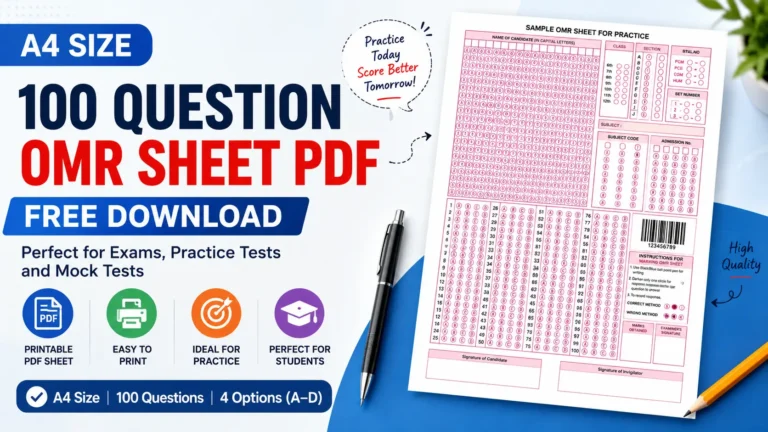
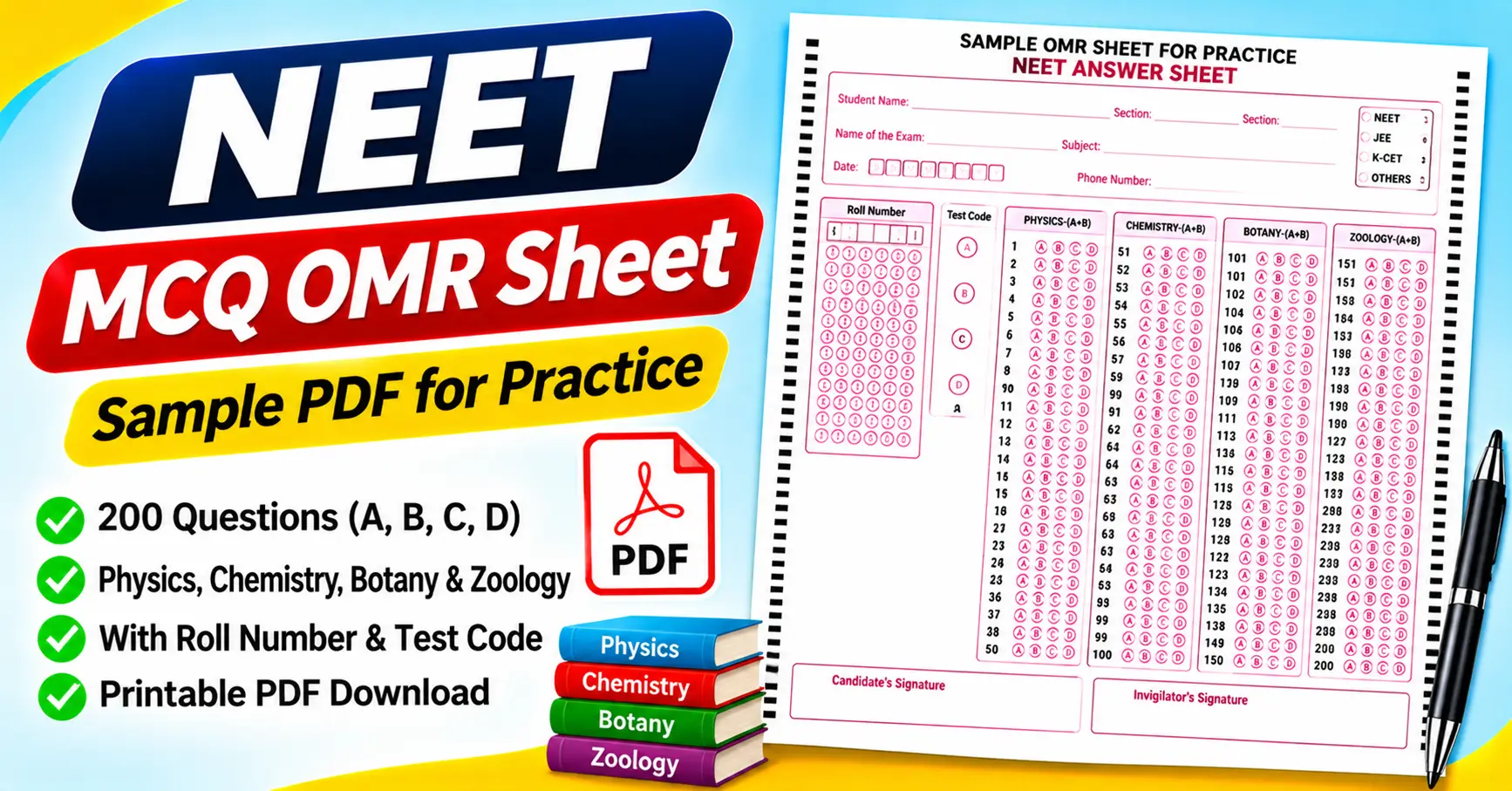
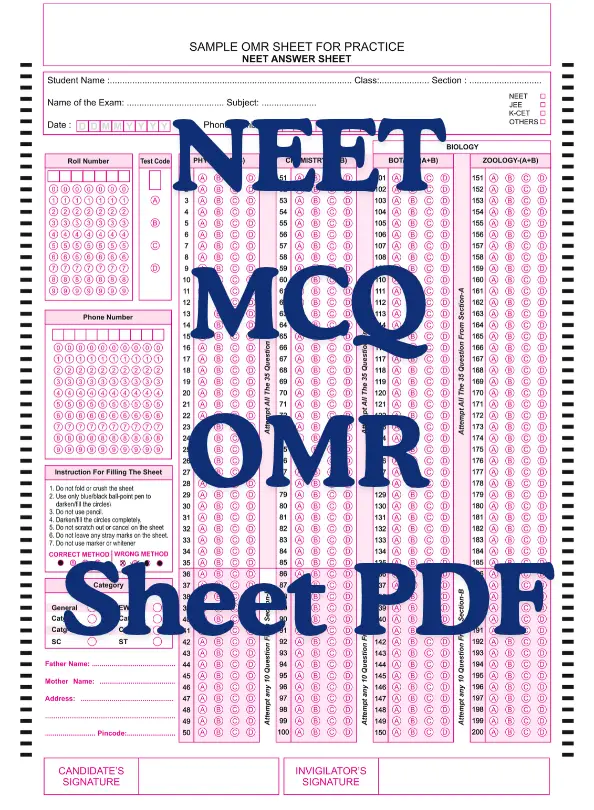
The NEET MCQ OMR Sheet PDF attached to this article is a sample answer sheet for practice. It includes candidate details, a roll-number grid, a test-code section, four-option answer bubbles, subject headings, and signature fields.
The supplied PDF has a particularly important feature: it contains 200 numbered questions arranged under Physics, Chemistry, Botany, and Zoology. This means you must check the template carefully before using it for a mock test.
In this guide, we will explain what the attached sheet contains, how to download and print it, how to fill it correctly, and what to know before using it for NEET preparation.
Download the NEET MCQ OMR Sheet PDF
You can download the attached sample answer sheet and use it for offline practice.
Download the NEET MCQ OMR Sheet PDF
The PDF is a one-page, portrait-oriented form labeled “Sample OMR Sheet for Practice – NEET Answer Sheet.”
It includes candidate information fields, four-option answer rows, and separate sections for Physics, Chemistry, Botany, and Zoology.
Important: This is a practice template, not a verified copy of the current official NEET-UG answer sheet. The attached document contains 200 questions and additional test-format instructions. Before using it for an actual examination, check the latest instructions issued by the National Testing Agency (NTA).
What Is a NEET MCQ OMR Sheet?
OMR stands for Optical Mark Recognition. It is a technology that detects marks made in specific positions on a printed form.
In a conventional multiple-choice answer sheet, each question has a set of bubbles representing possible answers. If you choose option C for Question 12, you fill the C bubble in the row numbered 12.
A properly designed OMR form lets compatible scanning equipment and software process marked responses. It also gives candidates a consistent way to record answers separately from their working notes.
For NEET preparation, practicing with an OMR-style sheet can help you develop a routine for recording answers and checking question numbers.
However, the attached PDF should be understood as a practice resource. Its title and layout do not establish that it matches the latest official NEET-UG examination format.
Features of the Attached NEET OMR Sheet
The supplied PDF includes several sections beyond the main answer bubbles. Here is what you will find on the page.
1. Candidate information section
The top of the sheet contains fields for:
- Student name
- Class
- Section
- Name of the examination
- Subject
- Date
- Phone number
These fields help identify the student and the practice session.
Before starting a mock test, complete the fields your teacher or test organizer requires. Check the spelling of your name and the examination date.
The attached template also lists NEET, JEE, K-CET, and Others as examination options. This suggests the form is intended as a general practice layout rather than a document configured exclusively for one official examination.
2. Roll-number bubbling grid
The left side of the sheet contains a roll-number field with multiple columns of digit bubbles numbered from 0 to 9.
Each column represents a position in the roll number. You mark the appropriate digit in each column to record your identification number.
For example, if a digit in your roll number is 7, you fill the circle labeled 7 in the corresponding column.
Check each digit carefully. A mistake in the identification section can make it difficult to associate the answer sheet with the correct student.
3. Test-code section
The attached sheet includes a test-code field with options A, B, C, and D.
This section can be useful for practice tests that use different question-paper versions. If your mock test assigns a specific code, follow the oorganizer’s instructions
Do not select a test code randomly. If different paper versions have different question orders or answer keys, choosing the wrong code can create problems during evaluation.
4. Physics answer section
The first subject block is labeled PHYSICS-(A+B) and contains Questions 1–50.
Each question has four answer options: A, B, C, and D.
The sheet also displays instructions referring to Section A and Section B. These instructions are part of the supplied template, so check that they match the question paper you are using.
5. Chemistry answer section
The second block is labeled CHEMISTRY-(A+B) and contains Questions 51–100.
The four-option format continues throughout this section. For example, if your answer to Question 72 is B, locate the row numbered 72 and mark the B bubble.
Always verify the question number before filling in a response.
6. Biology answer sections
The Biology area is divided into two blocks:
- BOTANY-(A+B): Questions 101–150
- ZOOLOGY-(A+B): Questions 151–200
This arrangement separates the two Biology subjects and makes the question ranges easy to identify.
The attached sheet therefore contains 200 numbered questions. It should not be described as a 180-question sheet, even though the official NEET-UG format may differ from this sample.
7. Section A and Section B instructions
The form includes the following instructions in its subject blocks:
- Attempt all 35 questions from Section A.
- Attempt any 10 questions from Section B.
These instructions appear repeatedly across the subject sections. However, the PDF does not establish that this is the current official NEET-UG question pattern.
If you are using the sheet for a practice examination, make sure the question paper follows these instructions before relying on them.
8. Phone number and category fields
The left side of the page includes a phone-number digit grid and a category section.
The category options shown are General, EWS, Catg-I, Catg-IIA, Catg-IIB, Catg-III, SC, and ST.
These are fields present in the supplied template. Candidates should not assume that the categories or identification requirements match the current rules of a particular examination. For official applications and examinations, follow the relevant authority’s instructions.
9. Candidate and invigilator signatures
At the bottom of the page, the form provides spaces for the candidate’s and the invigilator’s signatures.
These fields may be useful in supervised mock tests or classroom assessments. Complete them when the test organizer requires them.
Who Can Use This NEET MCQ OMR Sheet?
NEET aspirants
Students preparing for NEET can use an OMR-style sheet to practice recording answers during offline mock tests.
This helps build the habit of matching every response to the correct question number. However, because the attached template has 200 questions, you should verify that it suits your particular practice paper.
Biology students
The separate Botany and Zoology blocks can support subject-wise practice sessions.
For example, a student revising Botany can use the corresponding section to record answers and review the results against an answer key.
Coaching institutes
Coaching centers can use printed sheets for supervised assessments, revision exercises, and offline mock examinations.
A consistent layout helps students record responses in the same format and gives teachers a structured way to review results.
Teachers and individual learners
Teachers can use the sheet to explain how answer bubbles and identification fields work. Individual learners can print it for practice and record their performance over multiple sessions.
Before using it, confirm that the number of questions, subject divisions, and response format match the practice test.
How to Print the NEET MCQ OMR Sheet PDF
A clear printout makes it easier to read the question numbers and mark the correct bubbles.
Step 1: Download and open the PDF
Use the download link near the beginning of this article.
Open the file using Adobe Acrobat Reader, your browser, or another compatible application.
Step 2: Check the complete page
Make sure the candidate information fields, roll-number grid, test-code section, all four subject blocks, and signature areas are visible.
Pay particular attention to the last question block, which contains Questions 151–200.
Step 3: Choose the correct paper size
Select a paper size that matches the original PDF dimensions. A4 is commonly used for printing in India, but check the document settings rather than assuming its dimensions.
Avoid stretching the form to fit another page size because changing the proportions can affect the bubble spacing.
Step 4: Review the print preview
Check that the text and answer bubbles are readable and that no part of the form is clipped.
Choose scaling settings that preserve the original layout. If the print preview looks too small, review the page settings before printing.
Step 5: Print one sample copy
Print a single sheet before making additional copies.
Check the question numbers, bubble labels, roll-number grid, and subject headings. If you intend to use automated scanning, test the printed sheet with the intended system before relying on it.
How to Fill the NEET OMR Sheet Correctly
Step 1: Complete your identification details
Write your name and enter the required information in the designated fields.
If your mock test uses a roll number, carefully mark the corresponding digits in the grid.
Step 2: Check the test code
If the question paper has a test code, select the correct option on the sheet.
For a practice test, follow the instructions provided by the organizer. Do not assume that the sample options apply to every examination.
Step 3: Identify the subject and question number
The attached sheet divides the questions into Physics, Chemistry, Botany, and Zoology.
Locate the correct subject block before marking an answer. This is especially important when moving from Question 100 to Question 101 or from Question 150 to Question 151.
Step 4: Mark the selected option
Suppose you solve Question 42 and determine that option D is correct. Find Question 42 in the Physics section and mark the D bubble.
Do not rely only on the physical position of a row. Read the printed question number before marking your response.
Step 5: Follow the marking instructions
The attached sample instructs candidates to use a blue or black ballpoint pen, fill the circles, avoid pencils, and avoid scratching out or canceling answers on the sheet.
It also warns against folding or crushing the sheet, leaving stray marks, or using a marker or whitener.
These are the instructions printed on the supplied template. For an official examination, follow the current instructions issued by the examination authority.
Step 6: Review the sheet before submission
Check your identification details and review the answer rows.
Look for skipped questions, accidental marks, and answers recorded against the wrong question numbers. If you need to correct an answer, follow the correction rules for the test rather than assuming that erasing or overwriting will be accepted.
Common Mistakes to Avoid
1. Assuming the sample matches the official NEET format. The attached PDF contains 200 questions and several additional fields. Verify the current official examination requirements before using a template for anything other than practice.
2. Marking the wrong question row. Always check the question number before filling a bubble.
3. Entering an incorrect roll number. Review each digit in the bubbling grid before starting the test.
4. Selecting the wrong test code. If your question paper has a code, match it with the answer sheet according to the organizer’s instructions.
5. Printing at the wrong scale. Poor scaling can make the bubbles difficult to read or mark. Check the print preview and test one copy.
6. Making stray marks or folding the sheet. These actions can affect readability and may interfere with automated scanning.
7. Ignoring the Section A and Section B instructions. The supplied form specifies different numbers of questions to attempt in these sections. Check that your practice question paper follows the same rules.
8. Assuming all OMR-style PDFs work with every scanner. Automated evaluation depends on the form layout, scanning software, print quality, and configuration.
How to Check Your Answers After a Mock Test
Once you have completed the test, compare your recorded answers with a prepared answer key.
Count the correct, incorrect, and unanswered questions. Apply the marking scheme specified for the particular practice test.
For example, if you answer 140 questions correctly out of 200, the percentage of questions answered correctly is:
This is the percentage of correct answers, not necessarily your final examination score. If negative marking applies, calculate the result according to the test’s rules.
You can also use Google Sheets or Microsoft Excel to organize your results. Create columns for the question number, selected answer, correct answer, and result.
For straightforward single-answer questions, use this formula if the selected answer is in B2 and the correct answer is in C2:
=IF(B2=C2,1,0)
The formula returns 1 when the answers match and 0 when they do not. Extend it across the questions and adjust the scoring method to match the mock test’s
Review the results to identify whether your mistakes came from subject knowledge, calculations, question interpretation, or answer recording.
Frequently Asked Questions
1. Is the NEET MCQ OMR Sheet PDF free to download?
The attached sample PDF is available through the download link provided in this article.
2. How many questions are included in the attached sheet?
The attached template contains 200 numbered questions (1 to 200), with four answer options per question.
3. Which subjects are included?
The sheet contains separate sections for Physics, Chemistry, Botany, and Zoology.
4. Does the sheet include a roll-number grid?
Yes. It contains a roll-number field with digit bubbles from 0 to 9.
5. Which pen does the sample recommend?
The printed instructions specify a blue or black ballpoint pen and advise candidates to fill the circles. Follow the current official instructions for any actual examination.
6. Is this the official current NEET answer sheet?
The attached file is labeled as a practice sample. Its layout does not establish that it is the current official NEET-UG answer sheet. Check the latest examination instructions issued by the NTA.
7. Can I use this sheet for a 180-question mock test?
You may use a suitable portion of the template for informal practice if your test organizer permits it, but the attached sheet is designed for 200 questions. A sheet that matches your practice paper’s question count is preferable.
8. Can the completed sheet be checked automatically?
Possibly, but the PDF alone doesn’t guarantee compatibility. Automated checking requires software that supports the sheet’sheetcanning conditions.
Final Thoughts
The NEET MCQ OMR Sheet PDF is a useful practice resource for students who want to become familiar with structured answer recording.
The attached template includes candidate details, a roll-number grid, a test-code section, four subject blocks, 200 numbered questions, and signature areas for the candidate and invigilator details. It also contains instructions for filling in the circles and attempting questions in Sections A and B.
Before printing, check that the template matches your practice paper. Follow the marking instructions, verify your identification details, and review your answers after each test.
Most importantly, treat the supplied PDF as a practice template, not a verified, current official NEET answer sheet. For the actual examination, follow the latest instructions published by the examination authority.