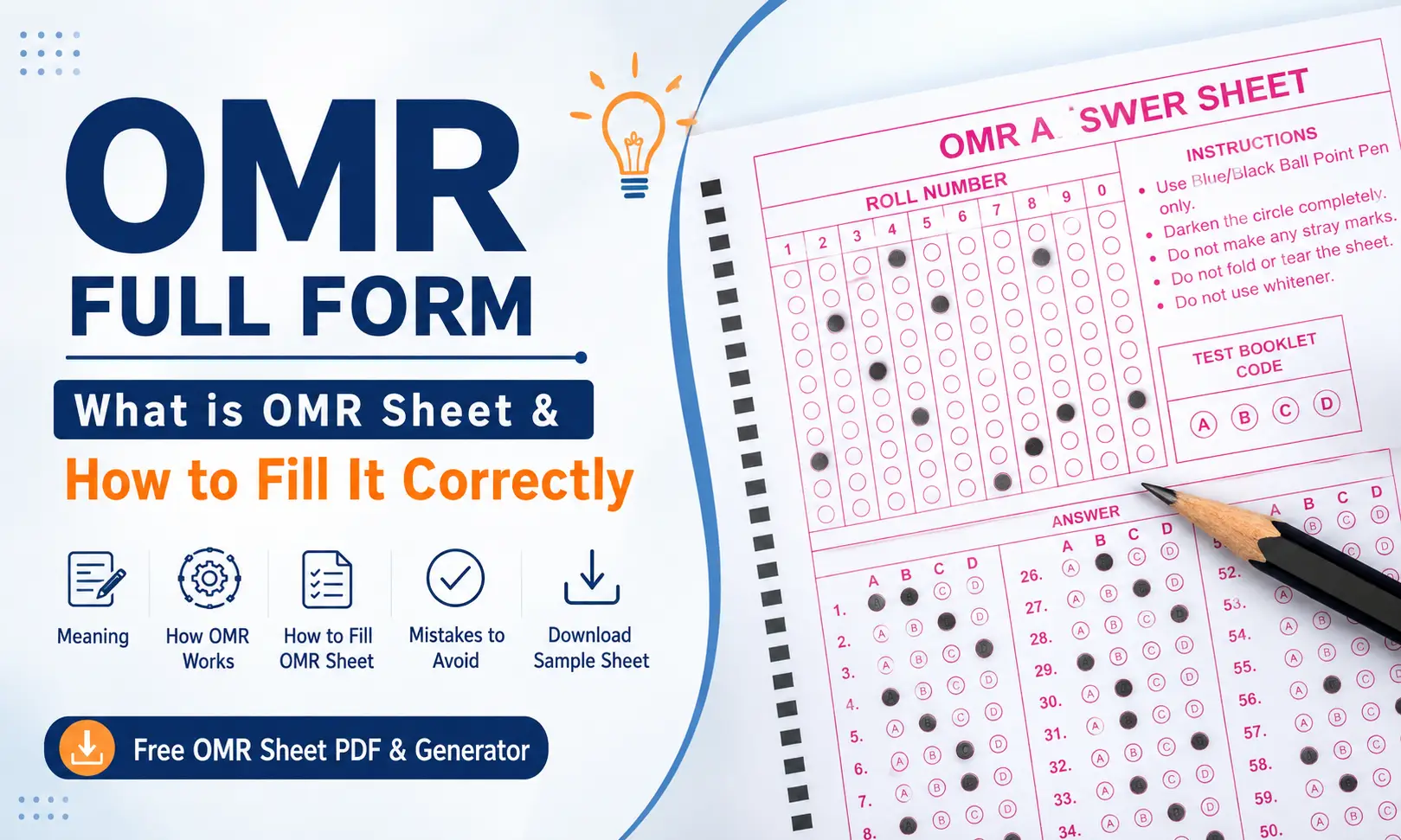
If you have appeared for a competitive or board exam such as NEET, JEE, SSC, UPSC, or a banking exam, you have probably filled an OMR sheet. Those rows of small bubbles may look simple, but a small mistake while marking them can affect how your answers are read.
So, what is the OMR full form, and how does this technology actually work?
Quick answer: OMR stands for Optical Mark Recognition. It is a technology used to detect marks made by people on specially designed forms, such as shaded bubbles on exam answer sheets. A scanner or OMR software checks specific positions on the sheet and converts the detected marks into digital data.
In this guide, we will explain what OMR means, how an OMR sheet works, how to fill one correctly, common mistakes to avoid, and the difference between OMR, OCR, and ICR.
What Is OMR? Optical Mark Recognition Explained
OMR stands for Optical Mark Recognition. It is a method of automatically detecting marks made on a printed form.
The basic idea is quite simple. Instead of asking a computer to understand your handwriting, an OMR system checks whether a particular position on the sheet has been marked.
For example, suppose a question has four options:
A ○ B ● C ○ D ○
The system does not need to understand the letter “B.” It simply detects that the bubble in the B position has been filled.
This is why OMR is especially useful for multiple-choice examinations, surveys, evaluations, and other forms where information can be represented using predefined bubbles or boxes.
What is an OMR sheet?
An OMR sheet is a specially designed paper form that contains areas where students or respondents can make marks.
A typical exam OMR sheet may include:
- Answer bubbles: Used to select A, B, C, D, or other options.
- Roll number or registration number grid: Used to record the student’s identification number.
- Question number columns: Help the system identify where each answer belongs.
- Alignment or timing marks: Help scanners correctly position the sheet during processing.
- Barcode or identification area: May be used by an exam authority to identify the candidate or paper.
- Instructions: Explain which pen or pencil should be used and how bubbles should be marked.
The exact design varies from one examination to another, so students should always follow the instructions printed on their particular OMR sheet.
How Does OMR Work?
At first glance, an OMR sheet may look like an ordinary piece of paper. Behind it, however, the layout is carefully designed so that a scanner or software knows where to look for each response.
Here is a simplified version of how OMR works.
Step 1: The OMR form is designed and printed
The form is created with fixed positions for questions, answers, identification numbers, and other information.
The software or scanner needs to know the location of these areas before it can interpret the marks correctly.
Step 2: The student fills in the bubbles
The candidate marks the selected answer according to the exam instructions.
For example:
A ○ B ○ C ● D ○
The filled bubble represents the candidate’s selected answer.
Step 3: The completed sheet is scanned
The completed OMR sheet is fed into an OMR scanner or processed using image-based OMR software.
Traditional optical systems use light to distinguish marked areas from blank ones. A dark mark reflects less light than an unmarked area, creating a contrast that the system can detect. (Wikipedia)
Step 4: The system detects the marks
The scanner or software checks predefined positions on the sheet.
If the detected darkness at a particular position passes the required threshold, the system treats that position as marked.
This is also why completely filling the correct bubble matters. A very light, incomplete, or smudged mark may not produce the same result as a clear mark.
Step 5: The information is converted into digital data
The detected marks are converted into data that can be stored, analyzed, or compared with an answer key.
For an examination, the system can then determine which answers are correct and calculate the candidate’s score.
Hardware scanners vs. OMR software
Traditional OMR systems use dedicated scanning hardware designed specifically for machine-readable forms.
Modern software-based OMR can use ordinary document scanners or cameras to capture an image and then analyze predefined areas of that image. This makes OMR more accessible for schools, coaching institutes, teachers, and organizations that do not need a large dedicated OMR machine. (pilotltd.com)
The exact accuracy depends on the scanner, software, form design, image quality, and how the sheet was marked. Some controlled OMR systems have reported accuracy above 99%, but there is no single accuracy figure that applies to every OMR system. (cis.hawaii.edu)
History of OMR
The technology behind today’s OMR systems developed from earlier attempts to automate the scoring of multiple-choice tests.
1930s: Mark-sense testing
In the 1930s, Reynold B. Johnson developed a machine for automatically scoring tests. IBM later developed the IBM 805 Test Scoring Machine, introduced commercially in the late 1930s.
Importantly, the IBM 805 was not an optical scanner in the modern sense. It detected the electrical conductivity of graphite pencil marks. IBM says the machine could speed up scoring substantially and reported more than 99% accuracy when procedures were followed correctly. (IBM)
1950s–1960s: Optical technology develops
Everett Franklin Lindquist, associated with standardized educational testing, developed an optical mark-sensing approach that detected marks using light rather than electrical conductivity. His work led to a patent for an optical mark reader in 1962. (Wikipedia)
IBM also moved from its earlier mark-sense technology toward optical systems during this period. By the 1960s, optical mark recognition had become an important technology for automated testing and data collection. (IBM)
Today: Scanners and software
OMR is no longer limited to large, specialized machines. Modern image scanners and software can process machine-readable forms, making the technology useful for examinations, surveys, evaluations, and other data-collection tasks.
How to Fill an OMR Sheet Correctly
For students, this is probably the most important part.
Knowing the OMR sheet full form is useful, but knowing how to mark the sheet correctly is even more important. A correct answer can still create a problem if the bubble is not filled according to the examination’s instructions.
Do’s when filling an OMR sheet
1. Read the instructions first.
Different exams may have different rules for pens, pencils, corrections, and marking methods.
2. Fill the bubble completely.
Make the mark dark and clear rather than placing a small dot inside the bubble.
3. Use only the permitted pen or pencil.
Some exams require a particular type of ballpoint pen, while others may allow a pencil. Never assume that the same instrument works for every exam.
4. Fill your roll number carefully.
First write the number in the designated area, then shade the corresponding bubbles. Check both before moving on.
5. Keep the sheet clean and flat.
Avoid unnecessary folds, tears, stains, or creases.
6. Check your answers before submitting.
If the exam rules allow you to review your responses, make sure the question number and selected bubble match.
Don’ts when filling an OMR sheet
- Don’t use ticks or crosses unless the instructions specifically allow them.
- Don’t leave bubbles half-filled.
- Don’t shade multiple options for one question unless the question specifically requires multiple answers.
- Don’t make random marks around the answer area.
- Don’t fold, tear, staple, or damage the sheet.
- Don’t use an unapproved pen or pencil.
- Don’t use an eraser, whitener, or correction method unless the examination authority explicitly permits it.
- Don’t rush while filling your roll number or other personal information.
Suggested alt text: Correct and incorrect OMR bubble filling examples for students
A simple rule to remember
One question + one intended answer + one clear bubble.
When in doubt, follow the instructions printed on the actual OMR sheet rather than relying on general advice.
Common Mistakes That Can Cause Problems With an OMR Sheet
Most OMR mistakes are avoidable. The problem is that students often make them while under exam pressure.
Common issues include:
- Partially shaded bubbles
- Very light marks
- Stray marks near machine-readable areas
- Selecting two bubbles for a single-answer question
- Smudged answers
- Using the wrong writing instrument
- Incorrect roll-number bubbling
- Writing a number correctly but shading a different number
- Folding or damaging the sheet
- Making unauthorized corrections
Remember that an OMR system is designed to look for marks in specific locations. It does not understand what you intended to mark. A clean and correctly filled sheet gives the system the clearest possible information.
Types of OMR Sheets
OMR sheets can be designed for different purposes. Some common formats include:
Single-sided OMR sheets
All important information and answer areas are printed on one side of the paper. These are common for shorter tests.
Duplex OMR sheets
Information or questions may be printed on both sides, allowing more responses to fit into a single sheet.
Multiple-copy or duplicate forms
Some forms are designed to create duplicate records for the candidate and organization.
OMR with an answer booklet
In some examinations, the question paper and answer sheet are separate. The candidate records only the selected options on the OMR sheet.
OMR with identification data
An OMR form can include fields for roll numbers, registration IDs, test codes, subjects, or other candidate information.
The exact format depends on how the form will be processed and what information the organization needs to collect.
OMR vs OCR vs ICR: What’s the Difference?
OMR, OCR, and ICR are all technologies used to extract information from documents, but they solve different problems.
| Technology | Full Form | What It Reads | Common Use |
| OMR | Optical Mark Recognition | Filled marks, bubbles, or boxes | Exam answer sheets |
| OCR | Optical Character Recognition | Printed or machine-readable text | Digitizing documents |
| ICR | Intelligent Character Recognition | Handwritten characters | Handwritten forms |
The easiest way to remember the difference is:
OMR reads marks. OCR reads printed characters. ICR attempts to recognize handwriting.
For example, if you fill a bubble beside option B, OMR detects the mark. If a scanned document contains the printed word “Mayur,” OCR can identify the characters. If someone writes the same name by hand, ICR is the technology designed to interpret handwriting.
So, can OMR read handwriting? No. OMR is primarily concerned with detecting marks at predefined positions, not understanding written words.
Applications of OMR
OMR is useful anywhere people need to select predefined choices quickly and have those choices processed automatically.
| Sector | Example |
| Education | MCQ exams and answer sheets |
| Surveys | Multiple-choice questionnaires |
| Elections | Machine-readable ballot forms |
| Banking and insurance | Structured application and response forms |
| Feedback | Student, employee, or customer evaluations |
| Attendance | Mark-based attendance forms |
Education remains one of the most familiar uses because OMR makes it practical to process large numbers of multiple-choice answer sheets quickly.
Advantages and Limitations of OMR
Advantages of OMR
Fast processing:
Large batches of forms can be processed much faster than manually checking every response.
High accuracy:
Because the system checks predefined positions, it can provide highly consistent results when forms are designed correctly and filled properly. Some OMR systems report accuracy of 99% or higher under controlled conditions. (cis.hawaii.edu)
Useful for large exams:
Schools, universities, coaching institutes, and examination bodies can process large numbers of answer sheets efficiently.
Reduces manual checking:
Instead of manually entering every response, the system converts detected marks into digital data.
Consistent results:
The same detection rules can be applied across a large batch of forms.
Limitations of OMR
It is designed for predefined responses:
OMR works best when answers are represented by fixed bubbles, boxes, or marks.
It does not understand long answers:
You cannot use ordinary OMR to read and understand an essay or descriptive answer.
Poor marking can cause problems:
Light, incomplete, smudged, or misplaced marks may be difficult for the system to interpret.
Form design matters:
The scanner or software needs to know where the relevant fields are. Poorly designed or incorrectly configured forms can lead to processing problems.
Duplicate or repeated scanning needs safeguards:
Organizations processing large batches need proper systems to prevent the same sheet from being processed incorrectly or more than once.
Frequently Asked Questions About OMR
What is the full form of OMR?
The OMR full form is Optical Mark Recognition. It is a technology used to detect marks made on predefined areas of forms, such as bubbles on multiple-choice answer sheets.
What is the full form of OMR in Hindi?
The OMR full form in Hindi can be written as ऑप्टिकल मार्क रिकॉग्निशन (Optical Mark Recognition). In simple terms, it refers to technology that recognizes marked areas on a form.
Which pen or pencil is used for an OMR sheet?
It depends on the examination. Some exams specify a particular ballpoint pen, while others may allow a pencil. Always follow the instructions provided by the exam authority. Do not rely on general OMR rules when your exam has specific requirements.
Can OMR read handwriting?
No. OMR is designed to detect marks at predefined positions. It does not normally recognize handwriting. Handwritten-character recognition is associated with ICR (Intelligent Character Recognition).
Is OMR still used in 2026?
Yes. OMR continues to be useful for paper-based multiple-choice tests, surveys, evaluations, and other structured forms. At the same time, many examinations have moved to computer-based testing. The choice between OMR and digital testing depends on the exam’s requirements, infrastructure, cost, and scale.
What happens if I fill two bubbles by mistake?
If you mark two options for a question that expects only one answer, the system may interpret the response as multiple selections, which can result in the answer being treated as invalid or incorrect. The exact rule depends on the examination. If you make a mistake, follow the correction instructions provided by that exam authority.
Conclusion
The OMR full form is Optical Mark Recognition, a technology that detects marked positions on specially designed forms and converts them into digital information. It has been used for automated testing and data collection for decades and remains useful for large-scale multiple-choice examinations.
For students, the most important thing is not just knowing what OMR means. You also need to understand how to fill the sheet correctly. Use the permitted writing instrument, shade bubbles clearly, keep your sheet clean, and carefully enter identification details.
Want to practice before your next exam?
Download a free sample OMR sheet PDF or create a custom practice sheet with our OMR Sheet Generator. Practicing with an OMR-style sheet before exam day can help you become comfortable with filling bubbles, roll numbers, and answer grids correctly.