Imagine conducting a full-length mock test with 300 multiple-choice questions. The question paper is ready, students are seated, and everyone is prepared to begin. But one more thing needs organizing: an answer sheet that can accommodate all 300 responses without making the process confusing.
A properly arranged OMR sheet makes this task easier. Students can record their answers in numbered rows, while teachers and examination organizers can collect responses in a consistent format.
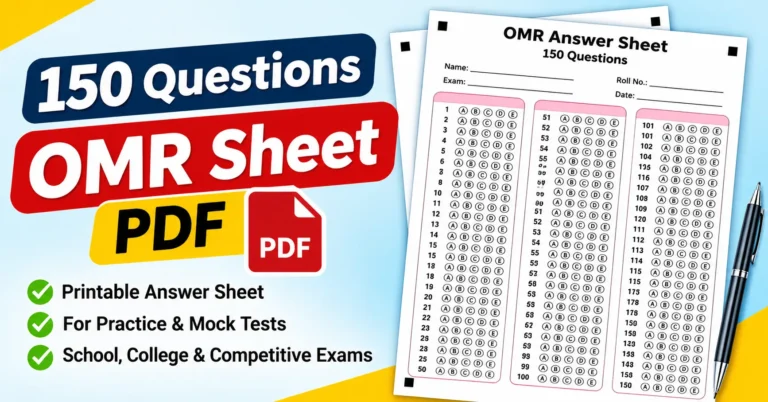
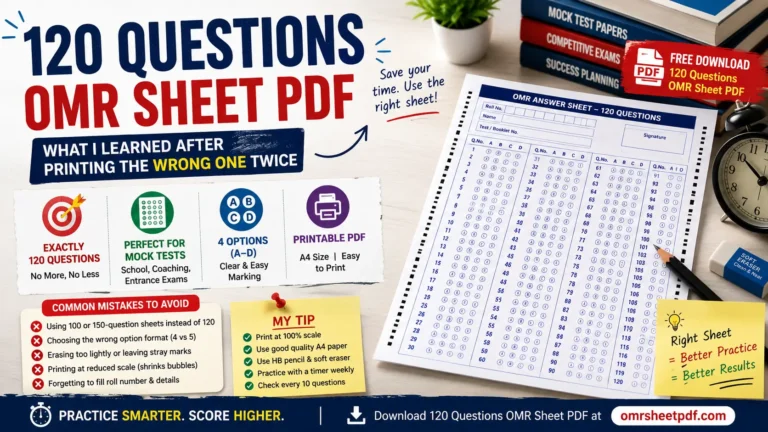
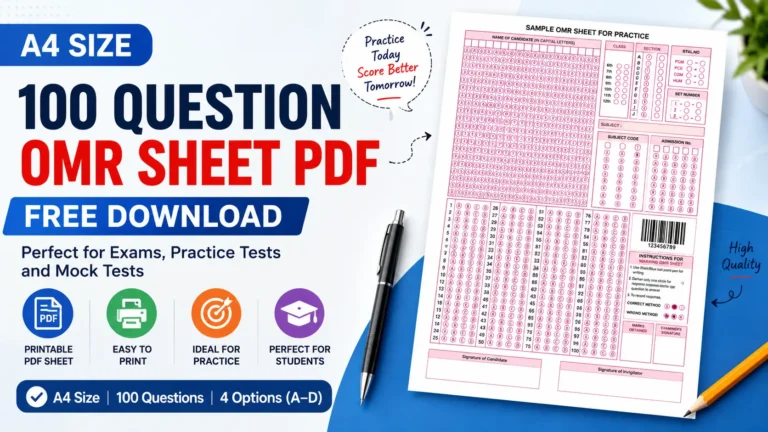
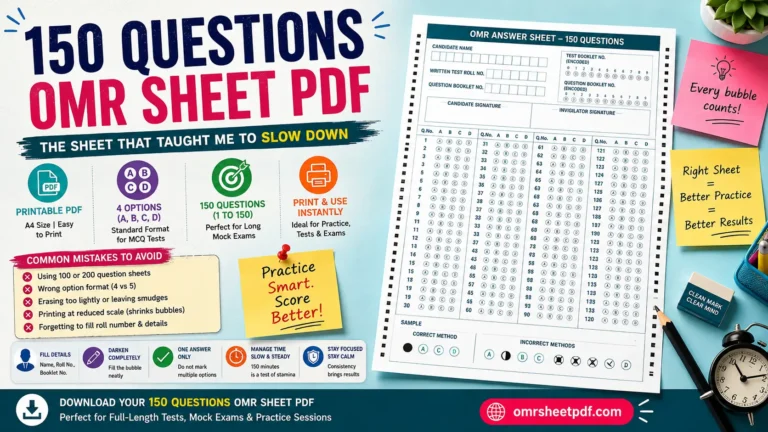
A 300-Question OMR Sheet PDF is useful for long practice tests, competitive exam preparation, classroom assessments, and other multiple-choice examinations. It gives students a dedicated space to mark answers instead of writing them out in full.
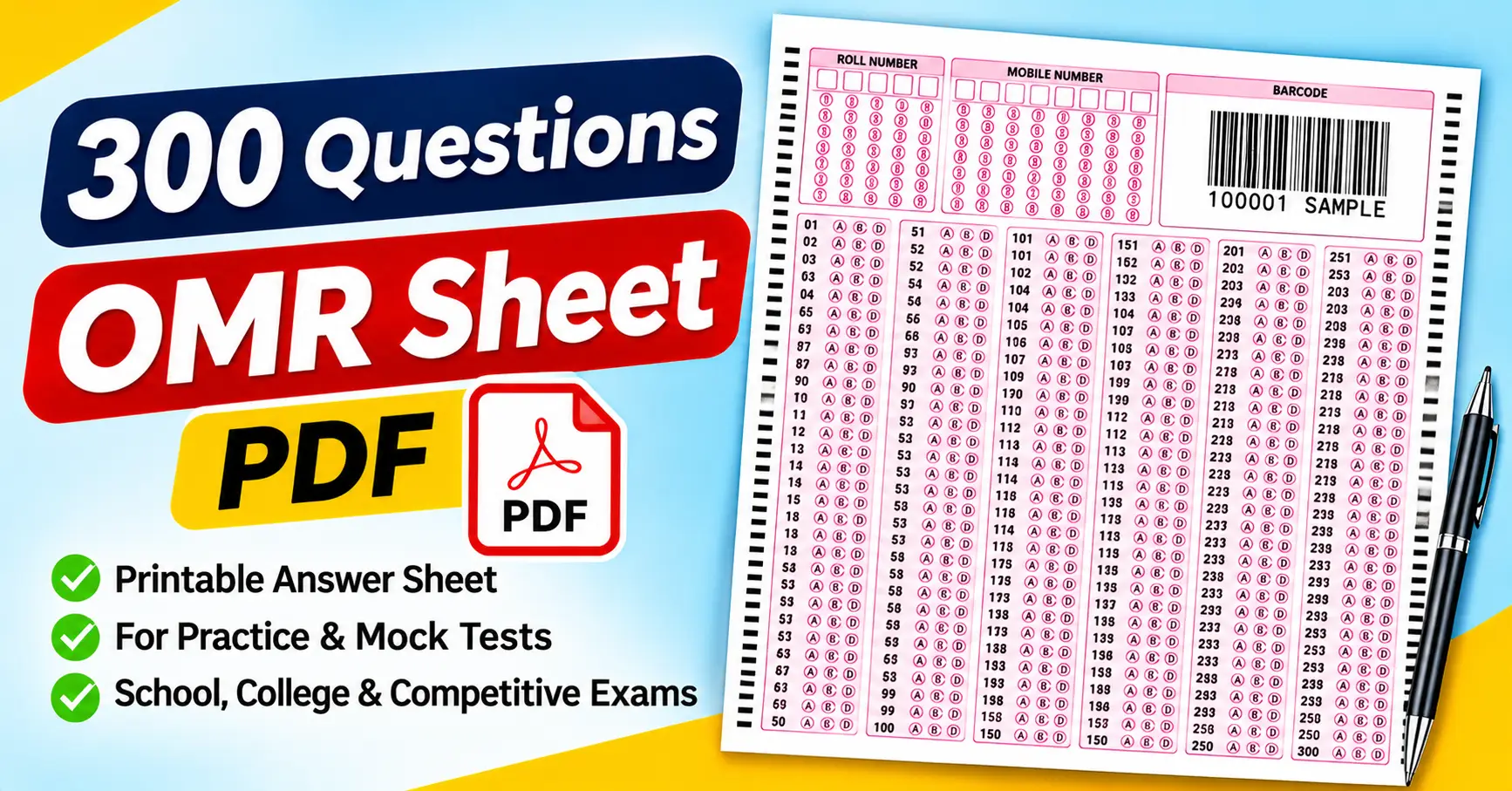
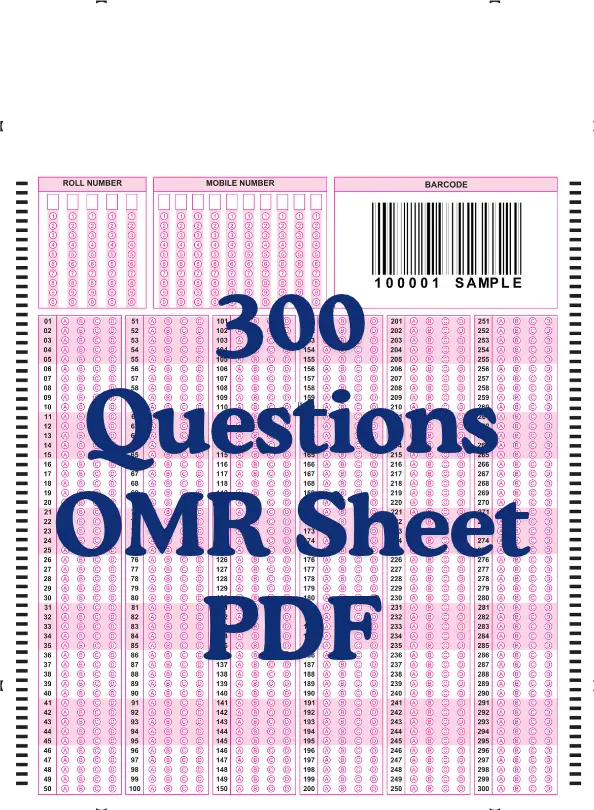
The attached PDF provides a practical example of a 300-question answer sheet. It contains separate roll number and mobile number grids, a barcode area, and numbered response rows from 1 to 300. Each question has four answer options: A, B, C, and D.
In this guide, we will cover the attached sheet’s layout, how to print and fill it correctly, how to organize answer checking, and which mistakes to avoid when working with a long OMR sheet.
What Is a 300 Questions OMR Sheet PDF?
OMR stands for Optical Mark Recognition. It is a technology that identifies marks placed in designated areas of a printed form.
On a typical multiple-choice answer sheet, students select an answer by filling a bubble corresponding to the chosen option. For example, if the correct answer to Question 25 is option C, the student fills the C bubble in the row numbered 25.
A 300-question OMR sheet extends this format to 300 numbered questions. It is particularly useful when a test contains many objective questions, and the organizer wants to record every response in a consistent layout.
The PDF format makes the sheet convenient to open, print, and distribute. You can view it with Adobe Acrobat Reader, a browser’s built-in PDF viewer, or another compatible PDF application.
One important distinction is worth understanding: a printable OMR-style answer sheet is not automatically compatible with every scanner or automated checking application. If you intend to evaluate responses electronically, you need a system that supports the particular sheet layout.
Features of the Attached 300 Questions OMR Sheet
The attached PDF contains a single-page, portrait-oriented answer sheet with pink and black printed elements on a white background. This layout accommodates 300 responses while keeping the question numbers organized into separate blocks.
Here are the main features visible on the supplied page.
1. Roll number bubbling grid
The upper-left section contains a roll number grid with five digit positions. Each position has bubbles numbered from 0 to 9.
Students can use this grid to record their roll number by marking the appropriate digit in each position. They should check the written or assigned roll number carefully before filling the bubbles.
An incorrect roll number can create identification problems even when the answers themselves are correct.
2. Mobile number bubbling grid
Next to the roll number section, the sheet provides a separate mobile number grid with multiple digit positions.
This allows you to record numeric information using bubbles. Complete this section only if the examination organizer requires it, and verify every digit before submitting the sheet.
3. Barcode area
The upper-right section contains a barcode-style graphic labeled with the sample identifier “100001 SAMPLE.”
This is a visible feature of the attached template. However, its presence does not mean the barcode is unique to each student or compatible with a particular scanning system. If you intend to use barcode-based identification, confirm how the identifier is generated and processed.
4. Answer rows for Questions 1–300
The main response area is divided into six vertical blocks:
- Questions 1–50
- Questions 51–100
- Questions 101–150
- Questions 151–200
- Questions 201–250
- Questions 251–300
Each question has four response bubbles labeled A, B, C, and D.
This makes the attached sheet a 300-question, four-option answer sheet. Your question paper should use the same four-option structure if you want to use this particular template without modification.
5. Alignment marks
The page includes black alignment marks along both side edges and additional registration marks near the outer margins.
These are part of the supplied design and may be relevant to positioning or scanning. Avoid cutting them off when printing or preparing the sheet for compatible automated evaluation.
Who Can Use a 300 Questions OMR Sheet?
A 300-question answer sheet can be useful for several types of assessments, as long as the test format matches the sheet.
Students preparing for competitive examinations
Students can use an OMR sheet to practice recording answers under timed conditions. This is helpful when an examination requires candidates to transfer responses from a question booklet to a separate answer sheet.
Practicing with a long sheet can help students develop a consistent routine: identify the question number, select the answer, mark the correct bubble, and review the response.
Teachers conducting mock tests
Teachers can distribute identical answer sheets to students during long multiple-choice assessments.
For example, a teacher preparing a 300-question general knowledge test can use the same layout for the whole class. Once the test is finished, responses can be checked against a prepared answer key.
Coaching institutes
Coaching centers can use long OMR sheets during practice examinations and revision sessions. Students can become familiar with the marking process and navigate multiple response blocks.
For timed practice, it is useful to rehearse not only solving questions but also recording answers accurately.
Schools and colleges
Educational institutions may use OMR-style sheets for internal tests, objective assessments, and practice examinations.
Before distributing the sheet, check that the number of questions, answer options, and identification fields meet the institution’s requirements.
Training and assessment organizers
Organizations conducting aptitude tests, knowledge assessments, or training evaluations may also find the sheet useful for tests with 300 multiple-choice questions.
If a large number of response sheets will be processed, decide in advance whether the checking process will be manual, spreadsheet-based, or automated.
How to Download and Print the 300 Questions OMR Sheet PDF
Printing the sheet correctly is important because a long response form needs enough space for students to identify question numbers and fill bubbles clearly.
Step 1: Open the PDF
Open the supplied 300 Questions OMR Sheet PDF using Adobe Acrobat Reader or another compatible PDF viewer.
Check that the complete page is visible, including the roll number grid, mobile number grid, barcode area, all six answer blocks, and Question 300.
Step 2: Choose the appropriate paper size
Select a paper size compatible with the PDF’s original dimensions and your printer. A4 paper is commonly used in India, but the original file dimensions should guide your choice.
Avoid stretching the page to fit a different format. Changing the proportions can affect bubble spacing and alignment marks.
Step 3: Review the print settings
Open the print dialog and inspect the available scaling options, such as “Actual Size” and “Fit.”
Choose a setting that keeps the complete form visible and preserves its proportions. Make sure that the final question number and the outer alignment marks are not cut off.
Step 4: Select suitable print quality
For ordinary practice tests, a clear print may be sufficient for manual checking.
If you will be processed using an OMR scanner or automated evaluation software, follow the system’s requirements for print quality, contrast, paper size, and alignment. Do not assume that every print setting will work with every scanner.
Step 5: Print a sample sheet
Before printing a large batch, print one copy and examine it carefully.
Check that the question numbers are readable, the four answer options are distinguishable, and all six blocks are present. Verify that the roll number and mobile number bubbles are also clear.
Step 6: Prepare the sheets for distribution
After confirming the sample’s quality, print the required number of copies.
Keep the answer sheets with the correct question paper, and provide clear instructions on entering identification details and marking responses.
How to Fill a 300-Question OMR Sheet Correctly
A long answer sheet requires consistent attention to question numbers. The following steps can help students avoid common recording errors.
Step 1: Enter the roll number correctly
Start by checking the assigned roll number. Fill the corresponding digit bubbles in the correct positions.
If the organizer requires other identification details, complete those fields as instructed. Do not leave mandatory information until the last minute.
Step 2: Read the answer-marking instructions
Check which writing instrument is required and how to fill in the bubbles.
Different forms and examination authorities may have different rules. Follow the instructions provided with the actual examination rather than assuming that one marking method applies everywhere.
Step 3: Match the question number carefully
Suppose you have answered Question 78 and selected option B. Find Question 78 in the second block, which covers Questions 51–100, and mark the B bubble.
Do not rely only on the physical position of the row. Always check the printed question number before marking the response.
Step 4: Fill only the selected option
The attached sheet has four choices for every question: A, B, C, and D.
For a single-answer question, fill only the intended bubble unless the examination explicitly permits multiple responses. Follow the specified marking style so that the response can be interpreted correctly.
Step 5: Keep track of skipped questions
If you skip a difficult question, make sure you can return to the correct row later.
A common problem during long tests is when a student skips a question but accidentally records the next answer under the skipped question’s number. Checking the printed number each time helps prevent this.
Step 6: Review each response block
The six blocks provide convenient checkpoints. After completing a block, confirm that your answers correspond to the intended question numbers before moving on.
This does not mean you must stop after every question. It simply provides a practical way to reduce alignment mistakes during a long test.
Step 7: Check the sheet before submission
Review the roll number and any other required fields. Check for accidental marks, missing responses, and answers recorded against the wrong question numbers.
If you need to change an answer, follow the applicable correction rules. Do not assume that erasing or overwriting a mark will be accepted by an automated checking system.
How to Check 300 Answers Efficiently
Once students finish the test, the next task is to calculate their results. The best method depends on the class size and the type of evaluation required.
Method 1: Manual answer checking
For a small group, compare each student’s responses with a prepared answer key.
Record the number of correct, incorrect, and unanswered questions. Then calculate the score using the examination’s marking rules.
For example, suppose a student answers 240 questions correctly, 40 incorrectly, and leaves 20 unanswered. The total is 300 questions.
If there is no negative marking, 240 correct answers out of 300 represent 80% of the total questions. If the examination uses negative marking, apply the specified penalty rules separately.
Method 2: Use Google Sheets or Microsoft Excel
A spreadsheet can help organize results when many students take the same test.
Create columns for the student name, roll number, correct answers, incorrect answers, unanswered questions, and final score. Store the answer key separately and use formulas to compare the entered responses.
For example, if the student’s answer is in cell B2 and the correct answer is in C2, the following formula returns 1 for a match and 0 otherwise:
=IF(B2=C2,1,0)
For a complete evaluation, you will need to extend the comparison across all questions and handle blank responses appropriately.
Test the formulas against a few manually checked answer sheets before using them for an entire class.
Method 3: Automated OMR evaluation
Automated evaluation may be useful when you need to process hundreds or thousands of sheets.
However, the software must support the form’s layout or allow you to configure it correctly. The attached sheet’s barcode area and alignment marks do not guarantee compatibility with any particular scanner or application.
Before relying on automated results, test sample sheets containing different answers, blank responses, and corrected marks. Confirm that the system reads the responses correctly and applies the intended scoring rules.
Common Mistakes to Avoid
Even a clearly organized OMR sheet can cause problems if students overlook a few details.
1. Marking the wrong question number: Skipping a question can lead to a row mismatch. Check the printed number before filling each bubble.
2. Entering an incorrect roll number: Verify both the assigned number and its bubbled representation before beginning the test.
3. Making multiple marks: Marking more than one option may invalidate a single-answer response under the examination’s rules.
4. Printing at the wrong scale: Stretching or shrinking the form can affect readability and scanning. Check the print preview and test copy.
5. Cutting off alignment marks: If the sheet is intended for automated processing, missing alignment marks may affect recognition. Preserve the complete layout.
6. Assuming the barcode works automatically: A barcode graphic is not proof of a working identification system. Confirm that the intended software supports the barcode format and value.
7. Assuming all OMR PDFs are interchangeable: The attached sheet uses four options per question. A question paper with five options requires a matching answer-sheet format.
Frequently Asked Questions
1. How many questions are included in this OMR sheet?
The attached PDF contains 300 numbered questions, from 1 to 300, arranged in six blocks of 50 questions each.
2. How many answer options does each question have?
Each question has four answer choices: A, B, C, and D.
3. Can I print the sheet at home?
Yes, as long as you have a compatible printer and the PDF. Print one test copy first and confirm that the question numbers, bubbles, and identification grids are readable.
4. Can I use this sheet for competitive exam practice?
Yes, if the question paper matches the sheet’s 300-question, four-option structure. For an official examination, use the answer sheet specified by the examination authority.
5. Can I use the same sheet for a 200-question test?
For informal practice, you may use the first 200 response rows if the organizer permits it. A dedicated 200-question sheet may be more convenient.
6. Does the sheet include a roll number and mobile number grid?
Yes. The attached template contains separate grids for recording a roll number and mobile number. Fill in the details only when required.
7. Can Google Sheets calculate the score?
Yes. Google Sheets can compare recorded responses against an answer key and calculate scores using formulas. Negative marking and unanswered questions require the appropriate scoring logic.
8. Can an OMR scanner read this PDF automatically?
Not necessarily. Compatibility depends on the scanner, software, layout, print quality, and processing configuration. Test the form before using it for formal evaluation.
9. Does the barcode identify each student automatically?
The attached template contains a barcode-style graphic labeled “100001 SAMPLE.” Its presence alone does not establish that each printed copy has a unique identifier or that the barcode is configured for student identification.
Final Thoughts
A 3300-questionOMR Sheet PDF is a practical resource for long multiple-choice tests, mock examinations, classroom assessments, and eexampractice. It provides a structured way to record responses while keeping question numbers organized.
The attached sheet contains 300 questions, four answer options per question, a roll number grid, a mobile number grid, and a barcode area. Its six-block layout covers Questions 1 through 300.
Before using the sheet, confirm the question paper matches the format, print a sample, and explain the marking instructions clearly. If you plan to evaluate responses automatically, confirm that the scanning system supports the form.
These simple checks can help prevent avoidable errors and make the examination process easier to manage.